Getting Connected
RTGS.global operates a closed network running on Microsoft Azure. This private network ensures maximum security for all participants.
To connect, choose the option that matches where your existing systems are hosted.
Option 1: Microsoft Azure
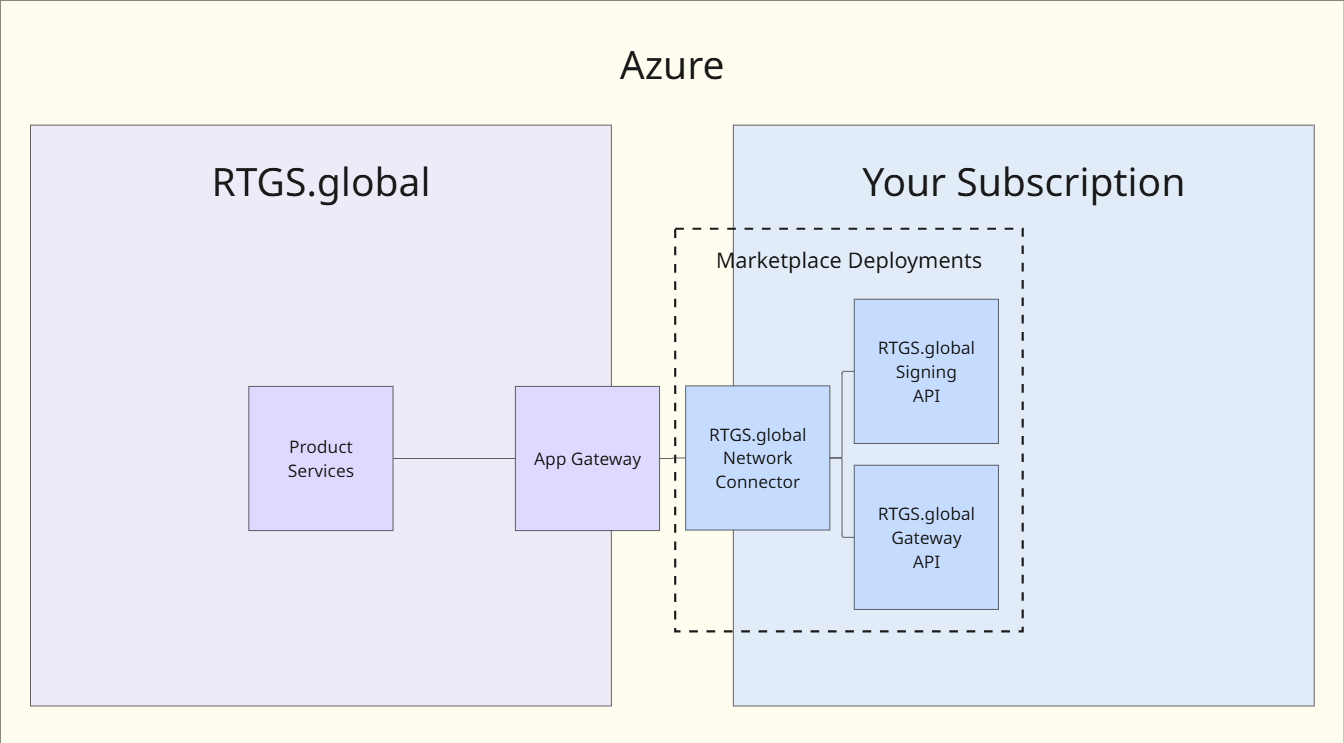
If you have a presence in Microsoft Azure, you can connect using the Azure Marketplace installer. Follow the Azure Integration guide.

This deploys a private network link and two APIs that can be used to integrate your systems with RTGS.global.
Option 2: AWS, GCP or On-Premise
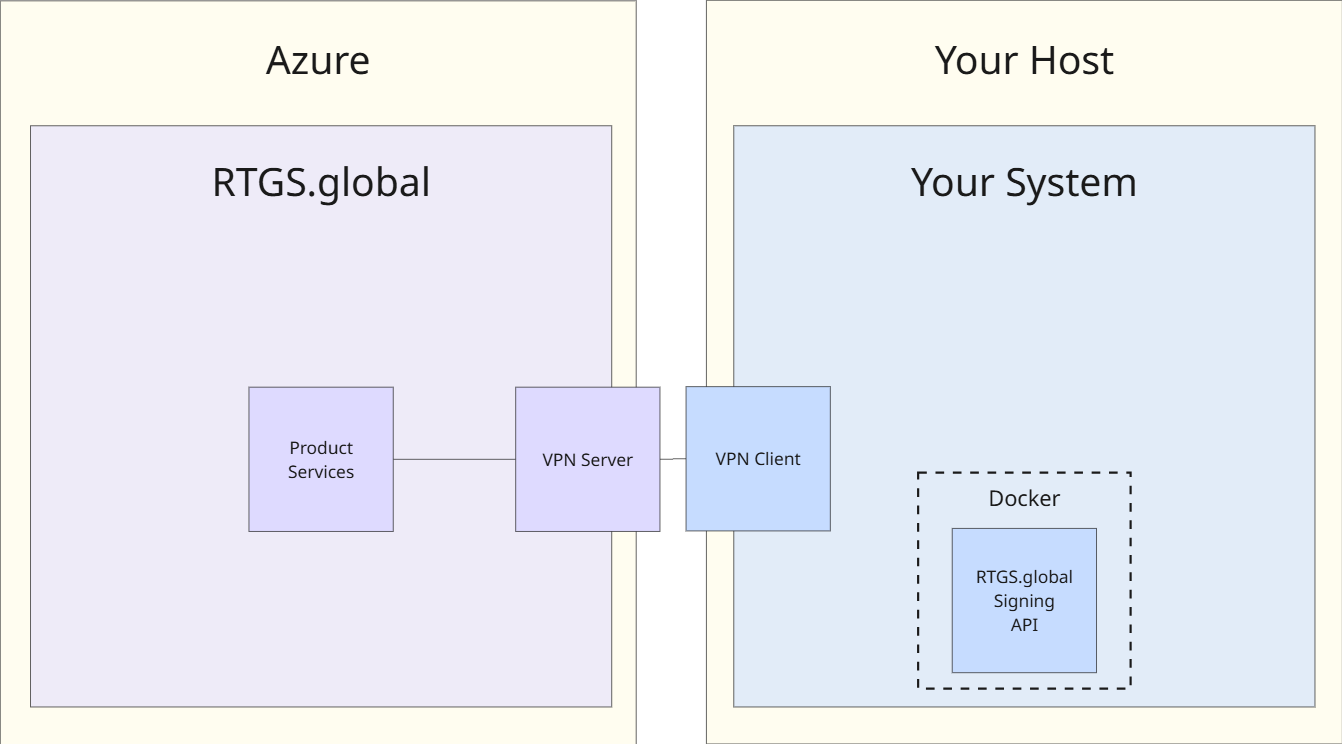
If you are hosted outside of Microsoft Azure, you can connect your network to the RTGS.global VPN server to access the API over the internet. Follow the VPN Integration guide.
This involves deploying two elements: a containerised digital signatures module (RTGS.global Signing) and a VPN client (implementation varies depending on your existing host platform).
Local Development
To try out the RTGS.global API without connecting to any environment, use the Docker-based emulator. Follow the Local Development guide.